
Wordkeep transcribes recordings, voice messages and videos on your iPhone, iPad or Mac. No uploads, no account, and it works offline.
Download on theApp StoreFree to download. 25 languages.
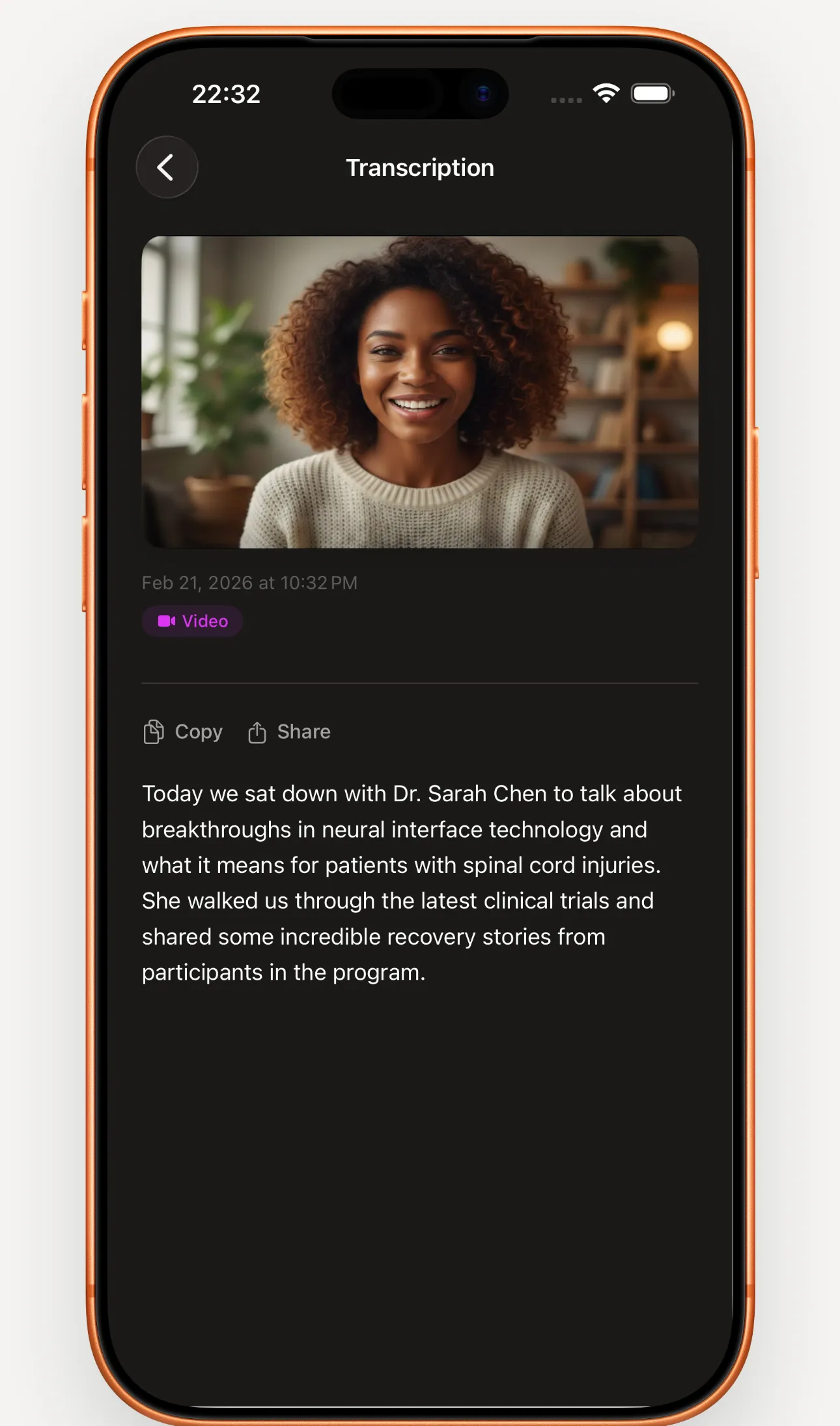
Your audio stays on your device
- Speech recognition runs on your device’s own chip. Nothing is sent to a server to be transcribed.
- After a one-time download of the speech model, Wordkeep works in airplane mode.
- No account and no ads. Your recordings, transcripts and notes are never uploaded.
The iPhone app can share anonymous usage counts, like “finished setup”, and you can turn that off in Settings. Read the privacy policy
Record, import or share
- Live text while you record
- Words appear as you speak, and the full transcript is ready when you stop.
- Audio and video files
- Import from Files or Photos: MP3, M4A, WAV, MP4, MOV and more.
- Share from other apps
- Share a voice message, recording or video to Wordkeep and it’s transcribed in the background.
- Dictation keyboard
- Add the keyboard and dictate into any app.
- Shortcuts and Siri
- Start or stop a recording, or transcribe a file, from the Shortcuts app.
- Many files at once
- Pick a batch of files and get every transcript in one go.
Make sense of long recordings
- Speaker labels
- Meetings and interviews are split by who spoke.
- Summaries and action items
- Turn a transcript into a summary, meeting notes or a list of tasks, written on your device. Requires Apple Intelligence.
- Personal vocabulary
- Fix a name or term once and it’s spelled right next time. You can review or undo every correction.
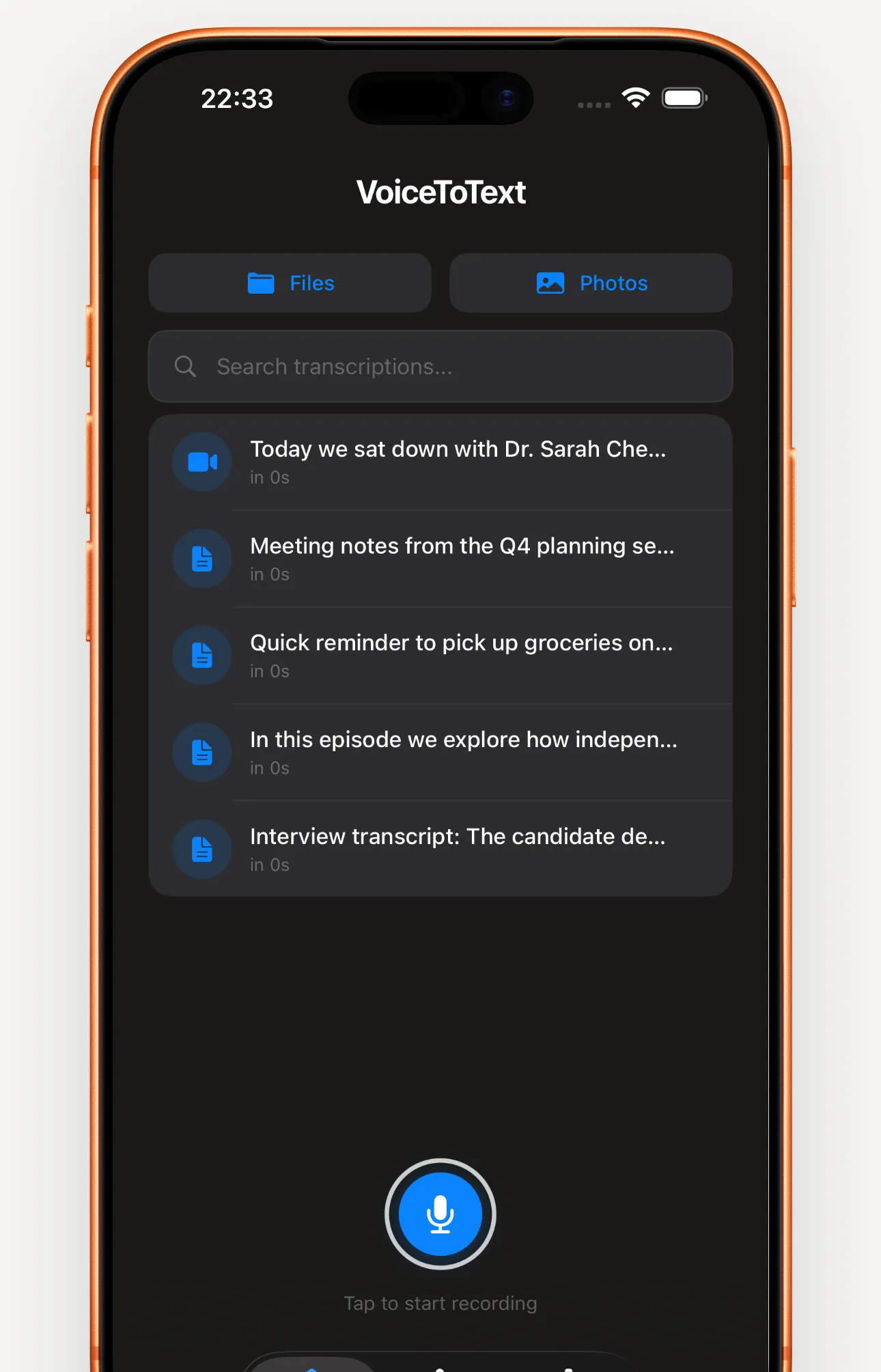
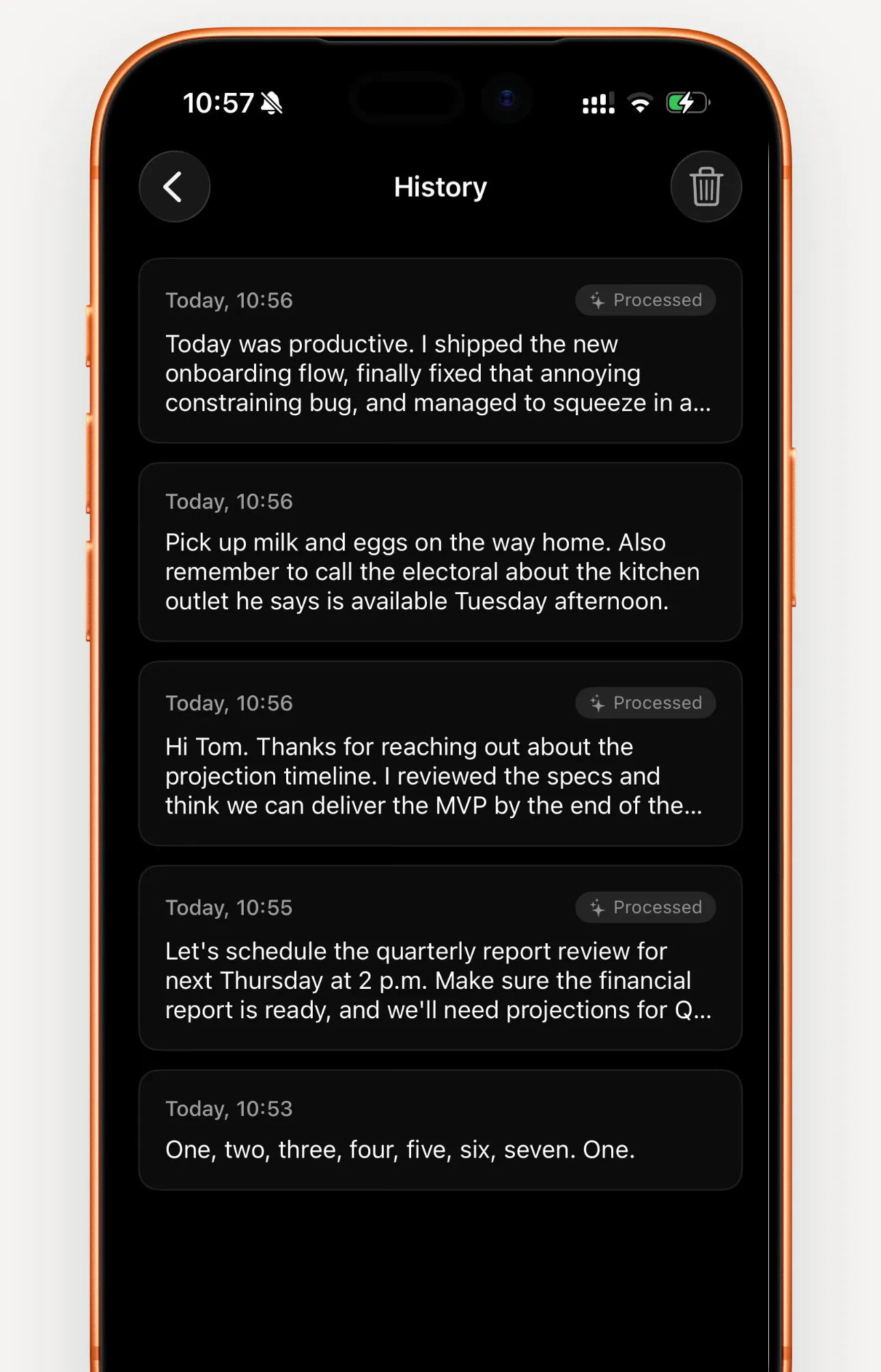
- Searchable history
- Every transcript is kept on your device and easy to find again.
- Recordings that survive interruptions
- If a call comes in or the app closes, the audio is kept and transcribed the next time you open Wordkeep.
Use the text anywhere
- Edit with timestamps
- Every word is timed, so you can fix the text and keep it in sync.
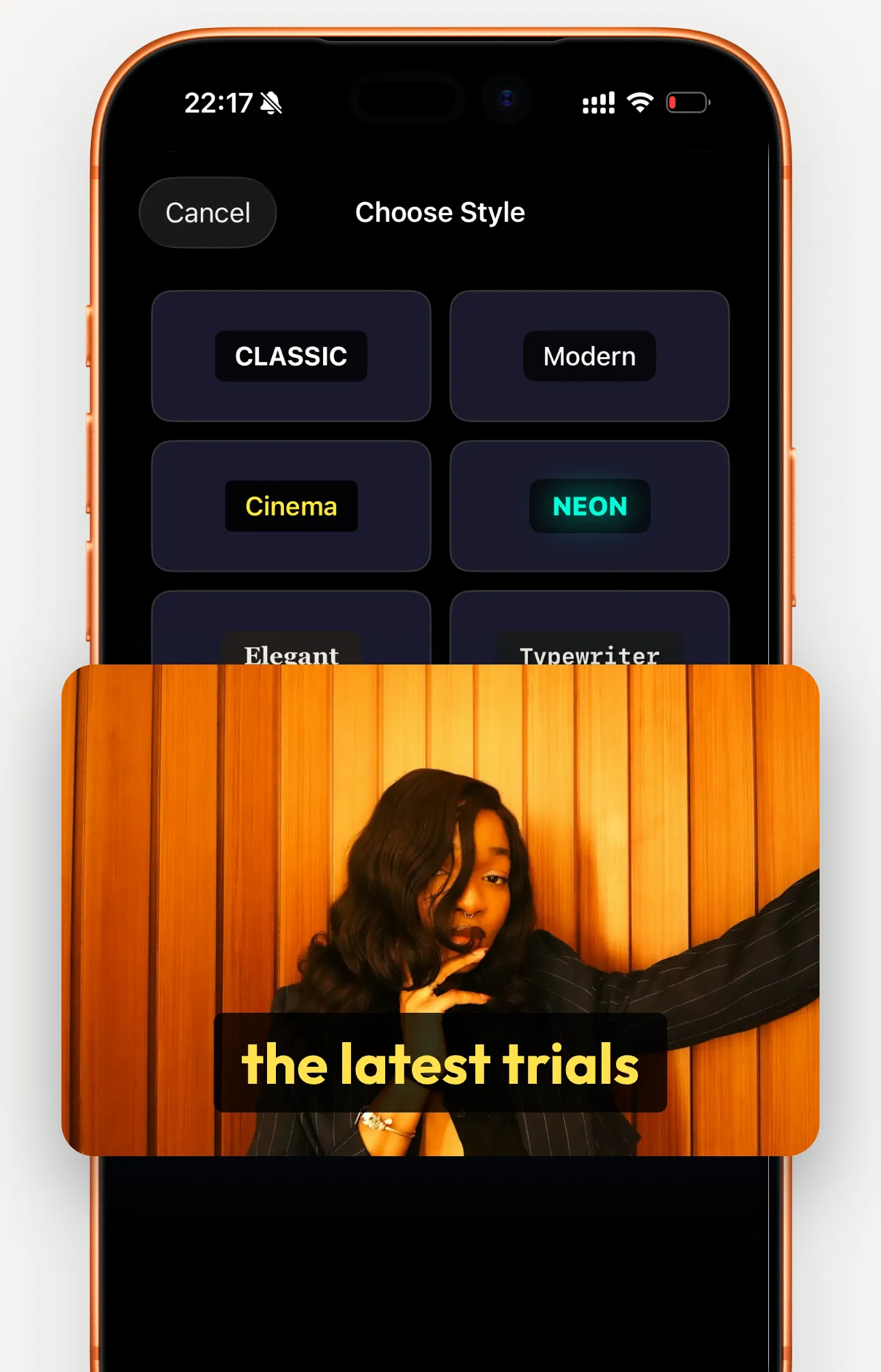
- Subtitles for your videos
- Burn captions into a video in one of several styles, ready for social media.
- Export and share
- Save SRT subtitle files, or copy and share plain text.
25 languages, detected automatically
Bulgarian, Croatian, Czech, Danish, Dutch, English, Estonian, Finnish, French, German, Greek, Hungarian, Italian, Latvian, Lithuanian, Maltese, Polish, Portuguese, Romanian, Russian, Slovak, Slovenian, Spanish, Swedish, Ukrainian.
Read your next voice message instead of playing it.
Download on theApp StoreFor iPhone and iPad. Also available on the Mac App Store.